
Content creation & publishing

Community Publishing

Write it. Save it. Publish when you’re ready.

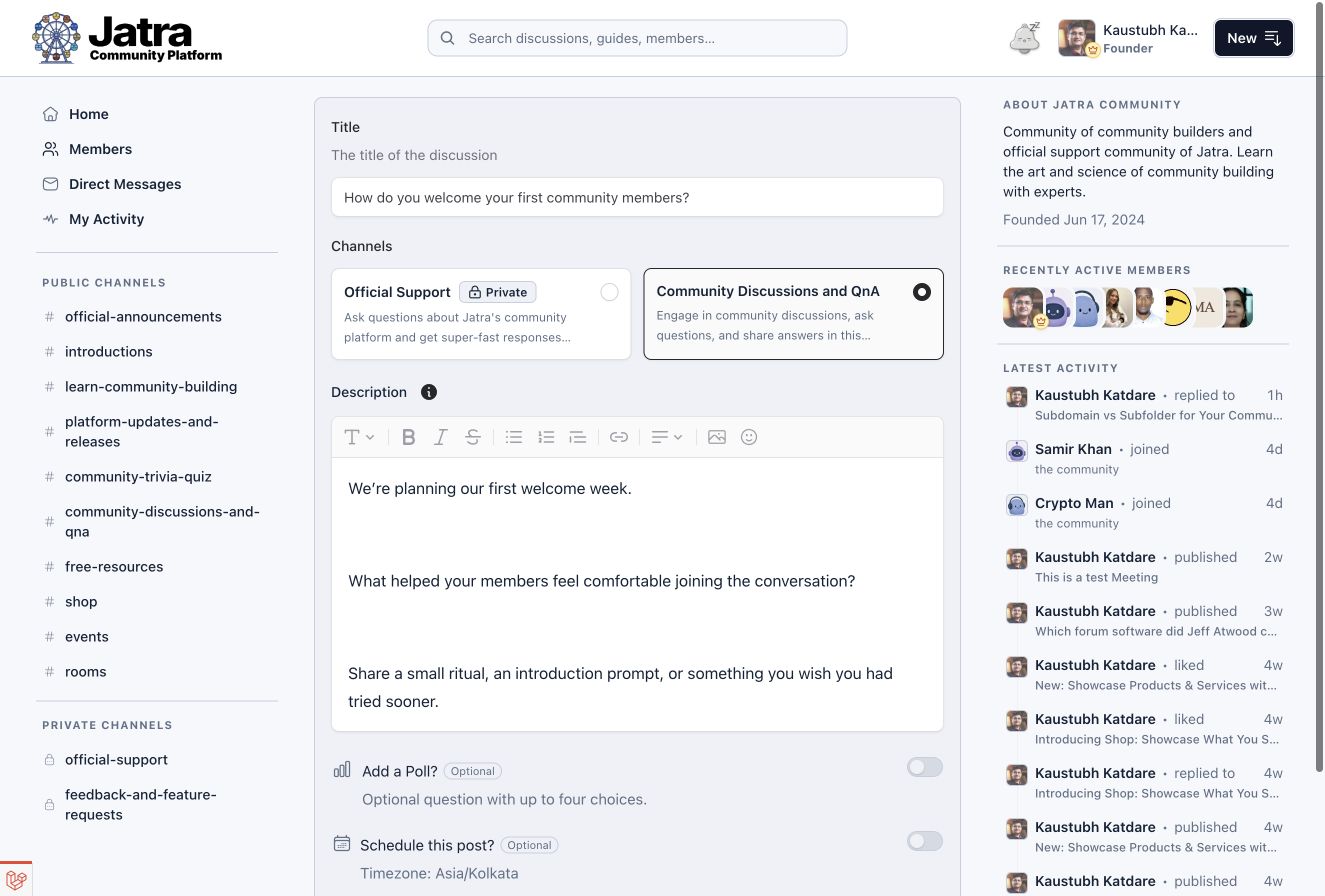
Create posts with a rich text editor, image uploads, media embeds and polls. Save drafts with autosave, publish immediately or schedule posts as community staff.

The real community rich text editor with a draft, formatting toolbar, channel selector and publishing controls visible.

Editor tools

Rich Text Editor, Media & Polls

Format text, add images and embed supported media in your posts. Include member mentions or a poll when the post type supports it.

Rich text formatting
Give longer explanations structure with headings, lists, links and text formatting.
Image uploads & media embeds
Add images and supported media embeds. Mention a member when their experience could help.
Community polls
Supported post types can include polls with two to four choices, a closing time and controls for results.

Drafts & autosave

Drafts & Autosave

Autosave keeps your draft as you work. Come back when you have the time, or the last detail, to finish it.

Autosave status
See when your draft was saved, or when a save needs your attention.
Cross-tab draft conflicts
If another tab saves a newer draft, Jatra flags the conflict so you can choose how to continue.

Publishing controls

Scheduled Publishing

Publish when you are ready, or prepare an update ahead of time. Scheduling is available to community staff.

Immediate publishing
Choose an available channel and submit your post. Permissions and moderation rules still apply.
Scheduled publishing
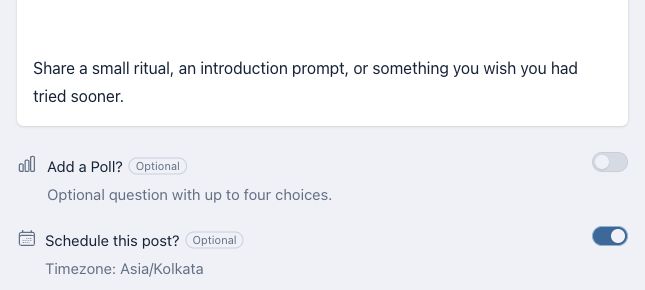
Staff can set a future date and time in the community’s timezone.
Post editing & archiving
Update published content or archive it according to your permissions.
Staff scheduling controls with the date and time field, community timezone and scheduling action.

Good to know

Publishing Questions

Does every post type have the same editor tools?

No. Each format has its own fields and supported tools. A discussion, resource and job listing need different information. What you can create also depends on the community’s enabled formats and channel permissions.

Who can schedule a post?

Scheduling is a staff tool. Community owners, administrators and moderators can schedule supported posts, using the community’s timezone.

Can I update something after publishing it?

Yes, if you have permission to edit that post. You can return to it and update the content. Community moderation rules can also apply to edits.

See it in Jatra

Explore Community Publishing

We’ll walk through the editor, drafts and publishing tools with your community in mind.