


Community analytics · Beta

Community Analytics

Metrics that matter. Reports you can stand behind.

Track member growth, publishing activity and participation across six analytics views. Select a reporting period, compare trends and inspect content, channel and member breakdowns.

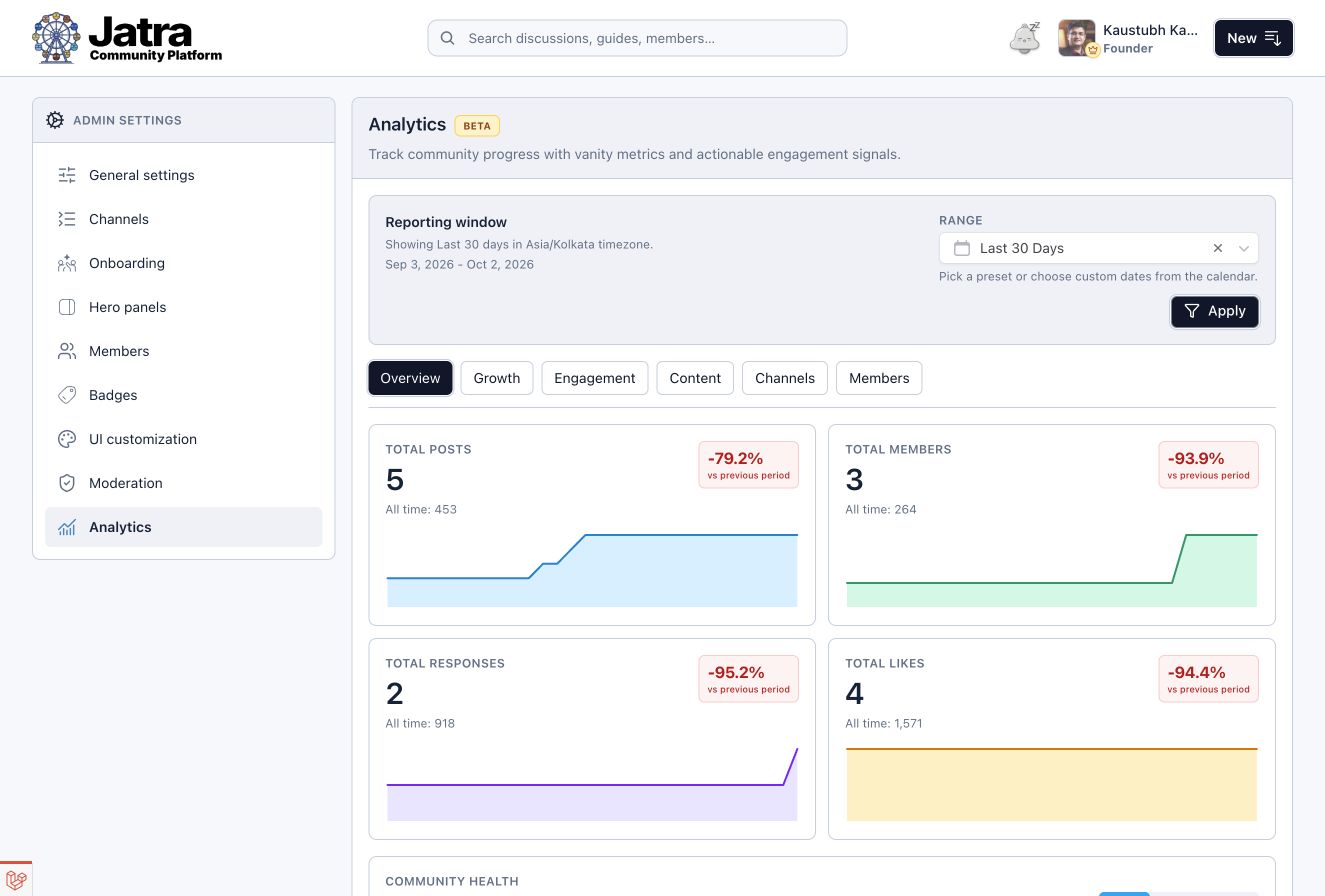
Analytics Overview with a reporting period selected, showing growth and participation charts.

Growth & engagement

Growth & Engagement Metrics

Overview, Growth and Engagement views help you separate the size of your community from the activity inside it.

01 / Growth
Member & content growth
Track new members, posts and replies over time. Compare the current period with the previous one.
02 / Engagement
Active & returning members
Review active and returning members alongside posts, replies and likes. Activity gives the member count context.
03 / Overview
Analytics Overview
Review community-wide membership, content and engagement metrics in the Overview view.

Analytics breakdowns

Content, Channel & Member Analytics

Look at the content, the channels and the people behind participation. Each view answers a different question.

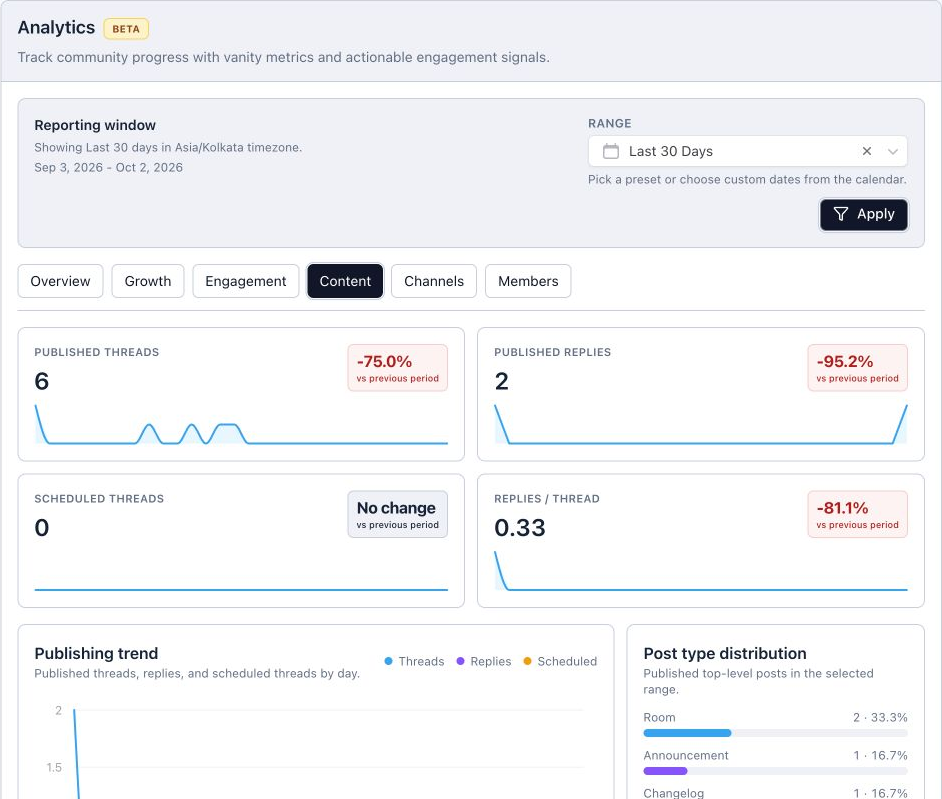
Review the mix of formats and publishing activity. See how your content is contributing to the community.

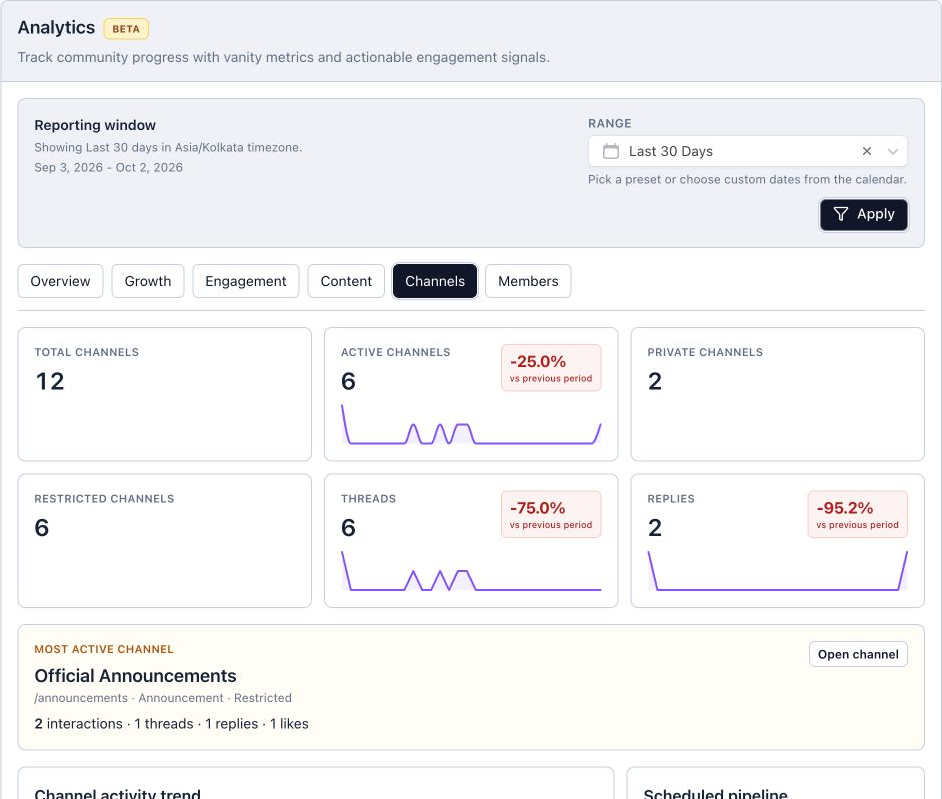
Compare activity across spaces. Find the conversations that are moving and the channels that may need attention.

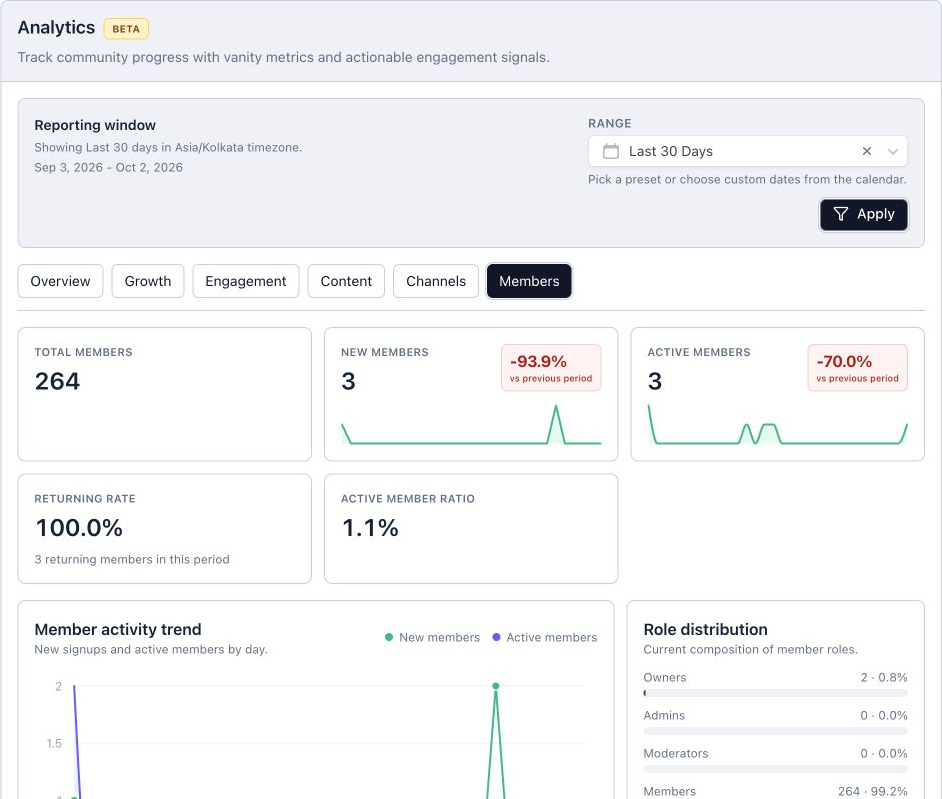
Review new, active and returning members, and recognize the contributors behind the activity.

The Analytics Content tab, showing the implemented content breakdowns for the selected reporting period.
The Analytics Channels tab with activity across community channels for the selected period.
The Analytics Members tab showing the available member activity and contributor insights.

Reporting periods

Date Ranges & Trend Comparisons

Use preset periods or a custom date range. Community timezone handling helps keep the reporting window consistent with your community’s day.

Previous-period comparisons
Trend comparisons give the selected period context against the preceding period.
Member CSV export
Staff can export member records as CSV from member management. This export covers member records, rather than analytics charts.

Good to know

Community Analytics Questions

What does analytics cover?

The current Beta includes Overview, Growth, Engagement, Content, Channels and Members views. It focuses on membership, publishing and participation.

Can we choose our own reporting period?

Yes. Analytics supports preset periods and custom date ranges, with community timezone handling.

Can I export every analytics chart?

Member CSV export is available in member management. Use it to review member records in your own tools.

See it in Jatra

Explore Community Analytics

We’ll show you which views can help you find the answer.