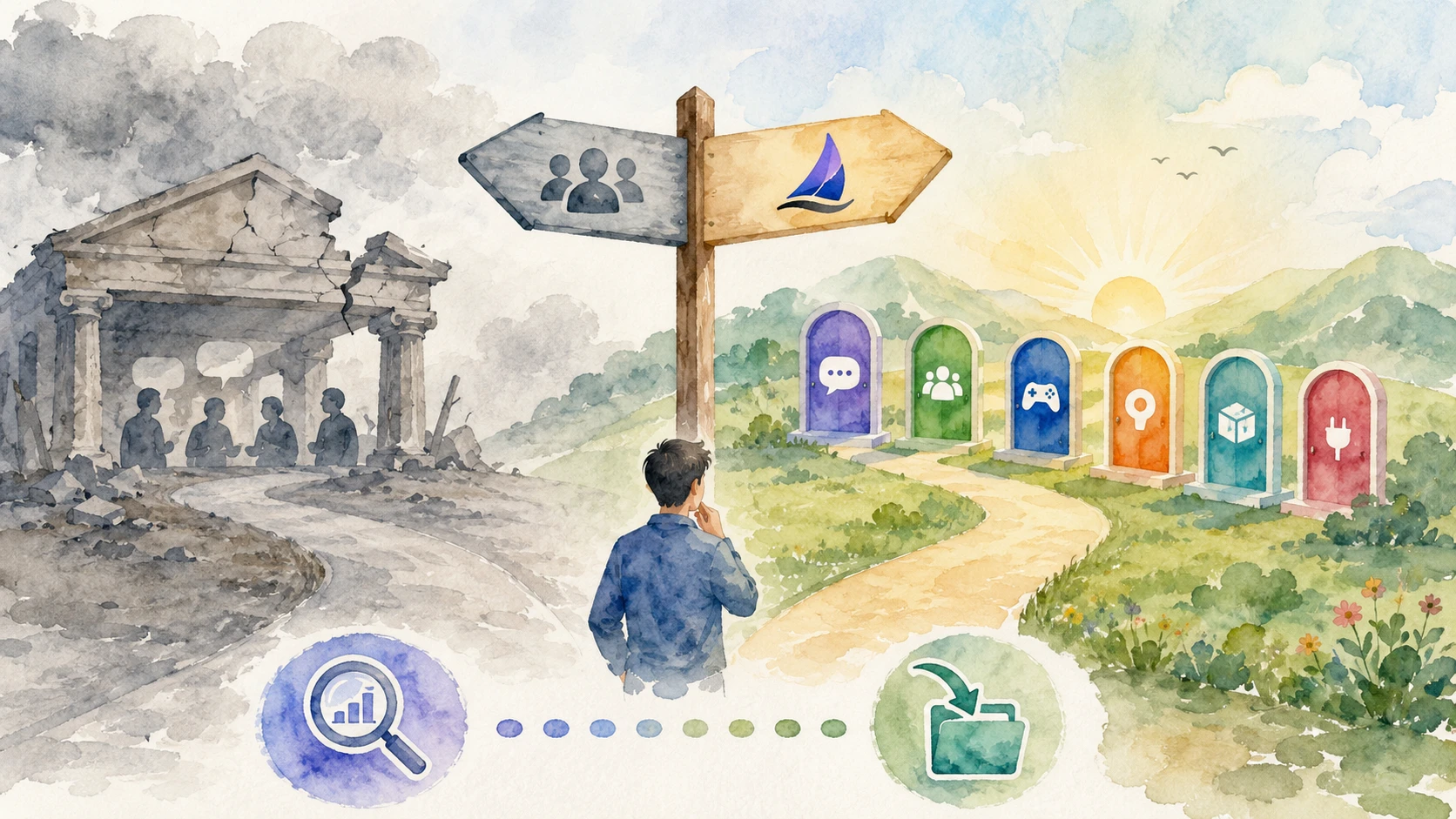

"Go where users already are" is a common advice you'll get in the B2B community building space.
If you are a SaaS company - that place is 'Slack'. Your potential buyers and existing customers are already using Slack, there's no signup friction and you can have a live community running by the end of the day. Seeing a community up and running makes bosses happy as well.
I took that advice seriously. Back in 2021, I was hired to build a community for a B2B SaaS company. We were targeting data engineers, mostly in the 30 - 45 age group. All the attempts at building it on LinkedIn (where our users already existed) had failed. So the next best option for us was - Slack.
I ran the community for 14 months. Used all my community building knowledge and experience to build the community. The community did grow to 650 members.
Looks good on paper. The problem? The community was hollow. We'd get a new member joining enthusiastically, sharing their LinkedIn link and uploading the resume.
Rest of the content was people asking for referrals and looking for their next role. They'd DM the experienced ones and every month, I'd receive 2-3 complaints from senior members. The community never worked.
Right Advice, Wrong Platform: Why Slack Communities Go Dead
I've watched several Slack communities meet the same fate. They start with 100% enthusiasm but die after the 4th week. There's no inflow of fresh ideas, existing members snooze the notifications and there's always a FOMO among the existing members.
There's a reason it plays out the same way every time. A real-time chat platform and a durable knowledge base are built to solve two different problems. Slack was only ever built for one of them.
Slack is Not Ideal for Community Building
Here's the rule I give every founder who asks me about community strategy: keep 80 percent of your knowledge open, 20 percent closed.
The logic is simple. Your community's day-to-day content - the customer questions, the "how do I configure X" threads, the niche debates about your category - is some of the best content your company produces. It's written by real users solving real problems, in the exact language other users search for. Put that on the open web and Google indexes it, ranks it, and sends you the kind of visitor who becomes a future customer. Every one of those threads can also anchor a backlink to your product pages, so the SEO benefit compounds twice - once for the community, once for the site it's linking to.
The 20 percent you keep closed is what should actually be closed - contracts, account-specific troubleshooting, anything with real privacy stakes. In a healthy community, that's a small slice of what gets discussed.
Slack doesn't let you choose. Everything is closed by default. There's no path to opening up the 80 percent that should be doing the work of growing your business.

You don't notice this on day one. It leaks slowly. By the time it becomes obvious, most of the useful content is already buried or gone.
Before joining, nobody can see what's inside. So every potential member has to trust your invite page, your promise, or your word. There's nothing to preview - unlike a forum thread ranking on Google, where the value's visible before anyone commits.
Organic growth doesn't exist under those conditions. Every one of our 650 members came from a newsletter mention, a social post, or a colleague passing along the invite link. Nobody arrived because they searched a question and found us. Fourteen months, and that's zero compounding acquisition. Every month started back at zero.
Chat also has a short half-life by design. A good answer in a Slack channel is only useful for as long as the people in the channel are paying attention. Two weeks later, it's buried and functionally gone, even though nothing got deleted.
The 90-day limit most free workspaces run on makes it worse. Free workspaces roll message history at 90 days and wipe anything older than a year outright, per Slack's own help documentation. Whatever good content did get created eventually disappears completely. New members ask the same question again because they can't find the first four answers.
Getting those 650 members took work every single time - referrals, ads, newsletter mentions, and the occasional broadcast to make activity look alive again. All of it works for about a week and fades. None of it builds on the last push, because there's no accumulating surface for people to discover on their own.
I'm clearly not the only one who's run into this. Strapi, Meilisearch, and Qovery all moved their open-source communities off Slack and wrote publicly about it. The details differ, but the shape is the same - a platform built for internal team chat, asked to do the job of a public knowledge base, quietly failing at the second job while doing fine at the first.
The clearest version of this I've found is CyberArk's developer team, who moved from Slack to Discourse specifically to fix Google indexing. Their reasoning is close to identical to mine - years of conversations, none of it searchable, none of it findable by the people who needed it most.
It's not only a SaaS problem either. When Slack added the 90-day history limit for free workspaces in 2022, Zulip said workspace imports jumped 40x in the following weeks. Most of those came from open-source and community-run workspaces that had never paid Slack and suddenly had no way to preserve their history.
What Slack Actually Gets Right
None of this makes Slack a bad product. It makes it the wrong product for what most B2B community builders are actually trying to do.
Slack earns its reputation honestly for closed, paid, real-time communities. If your audience already lives in Slack for their day job, onboarding friction is close to zero - nobody has to learn a new interface, and the synchronous chat rhythm genuinely beats a forum for fast-moving conversation. Its integration ecosystem - deep hooks into HubSpot, Salesforce, Google Workspace, and thousands of other tools - is the strongest in the category, and no forum-style platform matches it. If a customer success team already lives inside Salesforce and Slack Connect, running the community there can be a real strategic decision. I wouldn't call that a compromise.
Slack is doing the job it was built for. The mistake is choosing it because it feels familiar, without asking whether familiar also means right.
What I'd Tell Myself Before Moving Off Slack
If people already know each other and all you need is real-time chat, Slack or Discord works. For anything open or community-led, I'd probably pick Discord because there's no per-seat cost.
If the goal is a public, searchable knowledge surface that compounds over years, chat isn't the right shape at all - no matter which chat tool you pick. That's a forum-and-content problem, and it needs a platform built for durable, indexable content from day one. Discourse is the open-source standard here, a legitimate choice if you've got the engineering capacity to self-host and maintain it. Jatra exists for the same problem when you want the SEO architecture without owning the ops, plus content types like articles, Q&A, jobs, changelog, and feedback beyond a single discussion thread. A broader look at forum software and SEO is worth reading too - Slack isn't the only platform that gets this wrong, and a few tools that look modern on the surface have the same closed-by-design problem underneath.
| Platform | Note |
|---|---|
| Discord | Free, no per-seat cost, still closed/unindexed |
| Discourse | Open source, indexable, self-host required |
| Circle | Paid, monetization-focused, still closed by default |
Slack vs Jatra: The B2B SaaS Community Numbers
Here's how the two actually stack up, side by side.
Slack vs Jatra
Slack
Jatra
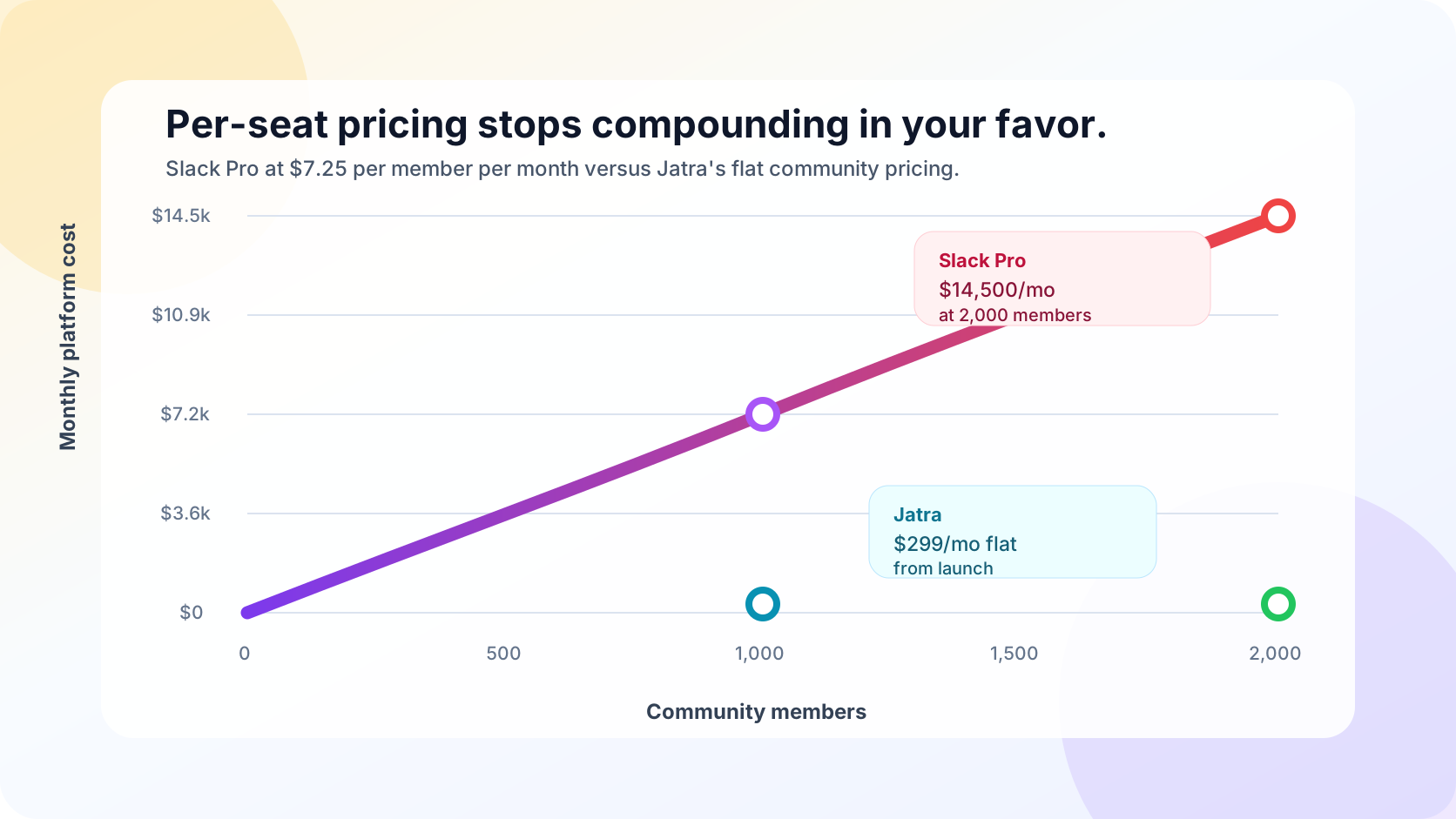
The pricing gap is worth sitting with for a second. At 650 members, Slack Pro comes to roughly $4,700 a month before add-ons, guests, or Business+ for SSO. Jatra costs the same whether your community has 100 members or 10,000, because the pricing is not tied to headcount.
The Question That Actually Matters
If you're evaluating alternatives, the honest starting point isn't "which platform is best." It's "what is this community actually for." For us, the answer got clear once I stopped asking where our users already hang out and started asking where the answers we were already giving them could actually compound, instead of disappearing into a channel nobody scrolls back through.
Fourteen months of resume threads was the signal. Yours might look different. But if you're seeing the same pattern, the platform's probably not the accident.